Name what you feel in one tap
Name what you feel in one tap.
My Emotion is a quiet place to notice how you are. Tap a colour, add an activity if you want, and let the weeks draw their own picture.
Opening the app lands you on the wheel — no date pickers, no mandatory fields, no rating your day out of ten.
The wheel is the home screen. It's already waiting, with your most-used feelings one tap away.
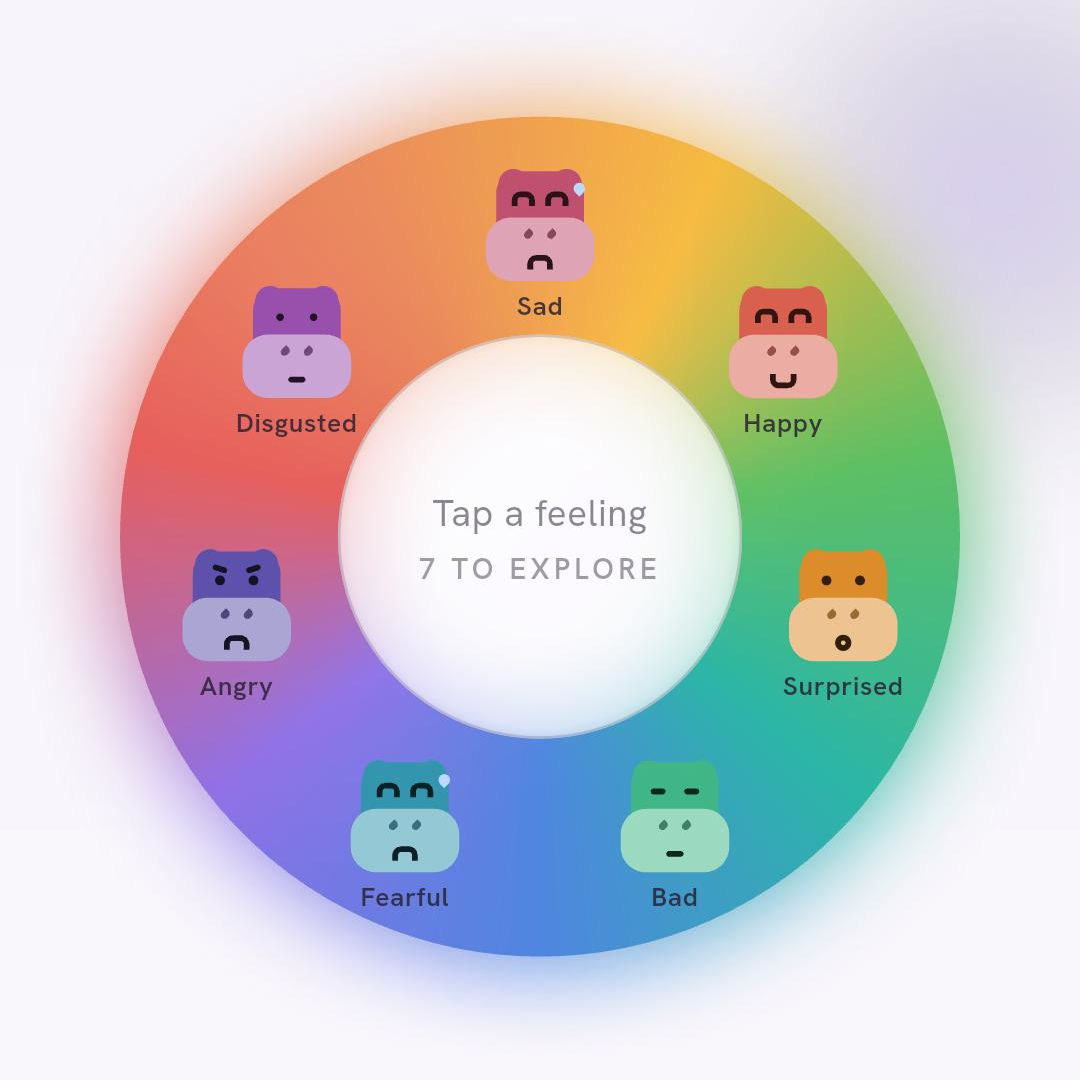
Seven families, each with softer feelings underneath if you want to be specific.
Saved to today's timeline. Add an activity now or never — both are fine.
Once you've logged a few weeks, the Insight tab shows your well-being score, your weekday patterns, and which activities tend to line up with better or harder days.
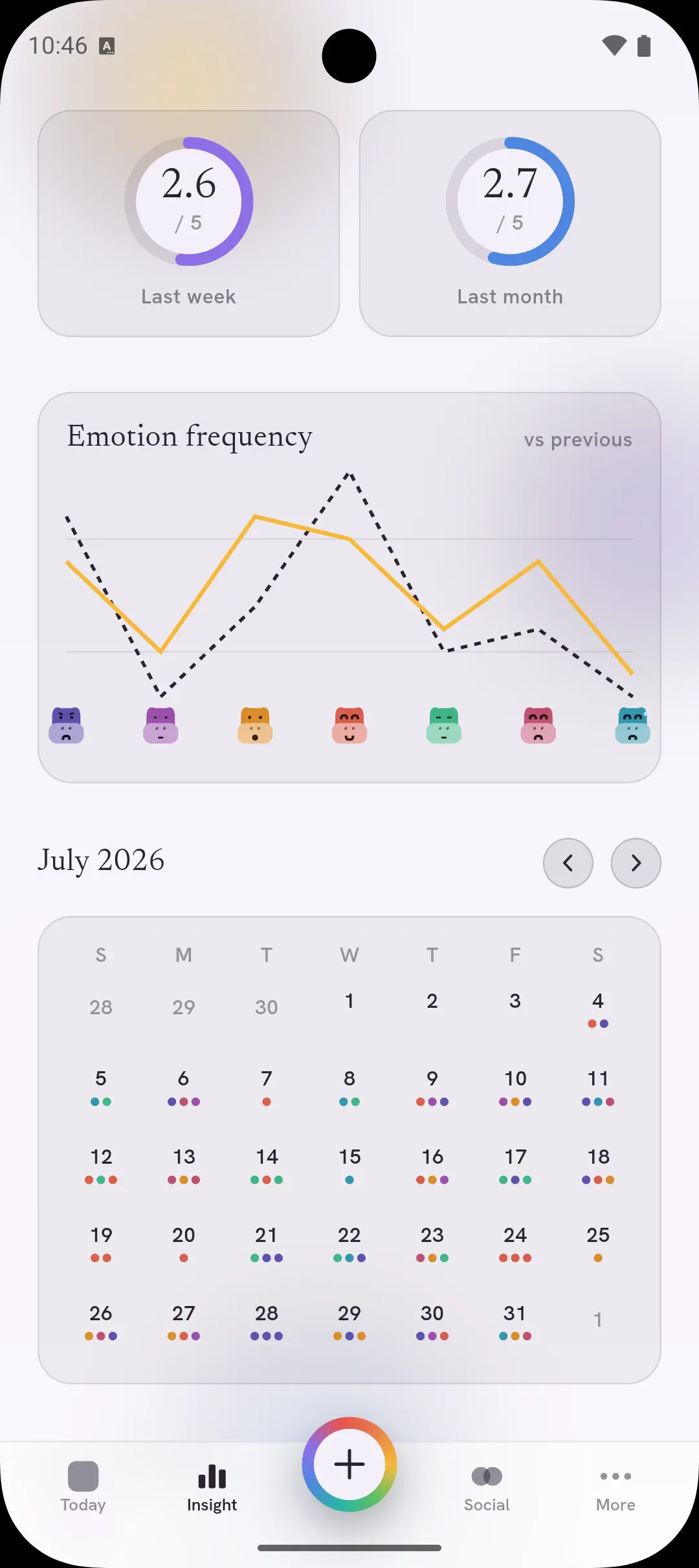
This week, last week, this month, last month — four scores so you can see the shape of things without a wall of numbers.
The weekday chart lines up your average score against each day, so a heavier Monday is easy to spot.
Activities are grouped as Fine, Warning or Alert based on the check-ins linked to them — a nudge to notice, not a rule to follow.
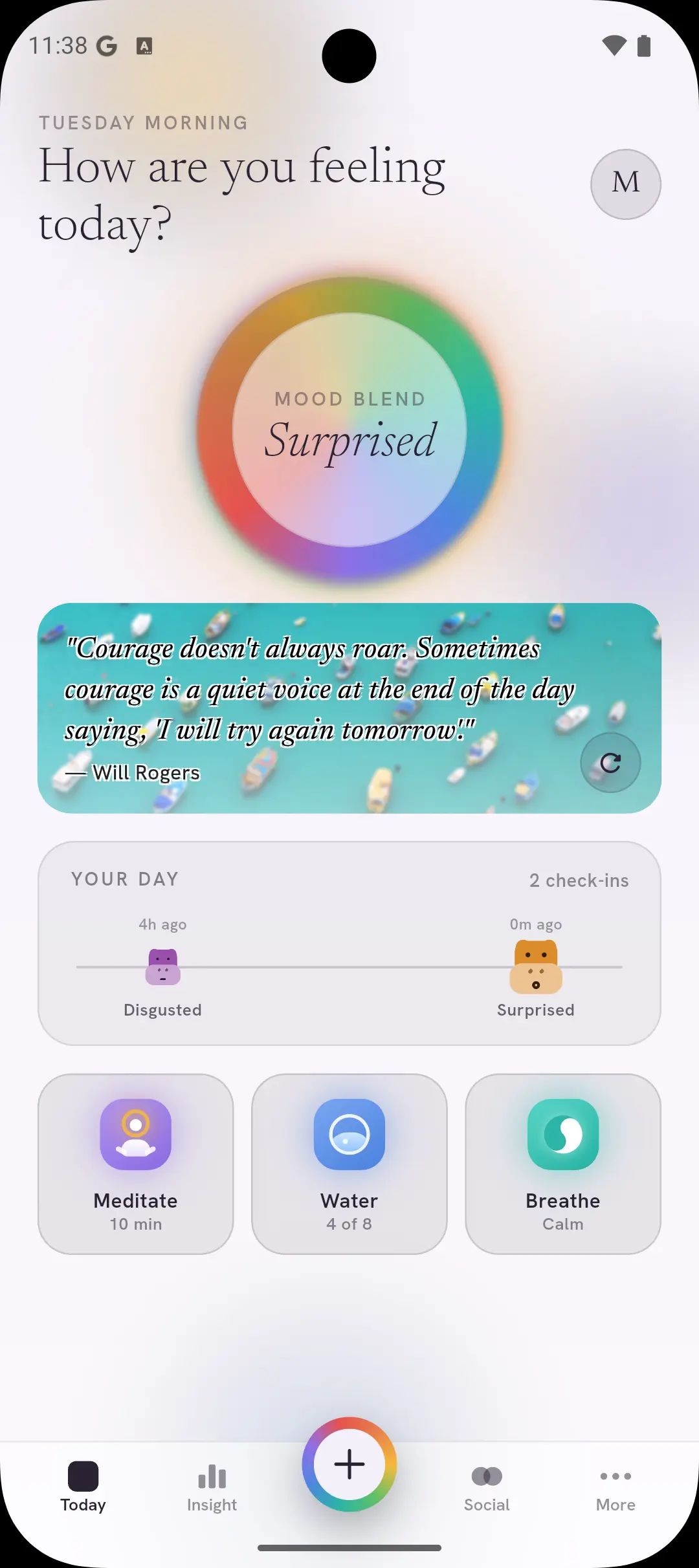
Meditation, hydration and breathing — quick-access habit cards on Today, with reminders on your own schedule.
Attach the activity that actually explains the moment — sleep, work, exercise, social time — or add your own. It's one tap, and always optional.
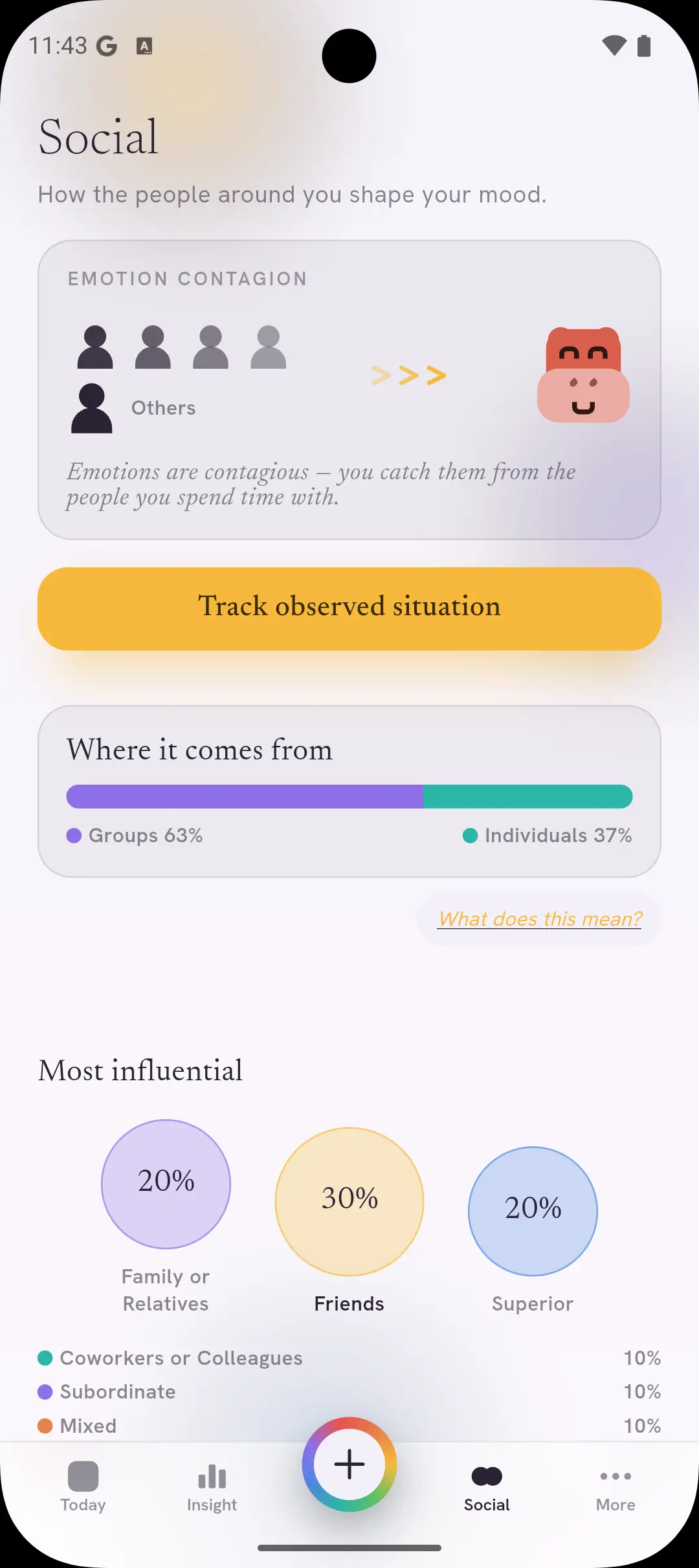
See how the people around you shape your mood, and notice which emotions you tend to mirror.
A nudge, or nothing at all.
Turn on reminders for check-ins or for a habit, pick the days and times that work for you, or leave it all off.
Nothing in here grades you.
Streak-free by design — the app reflects patterns back to you, it doesn't keep count.
No account, no clutter.
My Emotion works without signing up. Your check-ins live in the app, on your device.
Open the app and log. No email, no password, no profile.
Check-ins are stored locally on your phone, not in a remote profile.
Five icon styles, custom activities, and a quick-access list you shape over time.
Pick the times that work, per habit, or turn them off entirely.
No onboarding carousel, no questionnaire before you're allowed in.
Free on iOS and Android.
Tap the colour that fits. That's a complete entry.
Reminders are off until you turn them on.
Start with today. Just today.
One tap now, and in a few weeks you'll have something worth looking at.


 My Emotion